Skip to content

Updated 19 August 2026 · not the Kingsoft website

WPS Office free download for Windows, Mac, Linux, and Android

WPS Office is Kingsoft’s free Microsoft Office alternative: WPS Writer (Word), Spreadsheet (Excel), Presentation (PowerPoint), and a WPS PDF editor. Open .docx, .xlsx, and .pptx, convert PDF to Word, and install on Windows, Mac, Linux, Android, or iOS from official stores only.

WPS Writer for Windows editing a Word document with a ribbon like Microsoft Word
WPS Writer after a WPS Office free download: Word documents in a tabbed window.

200M+

Overseas users cited by AWS

4.5

Google Play listing (WPS app)

4.8

Apple App Store listing

Win 7-11

Mac, Linux, Android, iOS

WPS Office features

Free office suite for Word, Excel, PowerPoint, and PDF

Most people searching “WPS Office download” need four jobs in one installer. That is the product: write, calculate, present, and edit PDF without a Microsoft 365 bill. Full overview: WPS Office features.

WPS Writer Word alternative opening DOC and DOCX files

WPS Writer

WPS Writer: free Word processor for DOC and DOCX

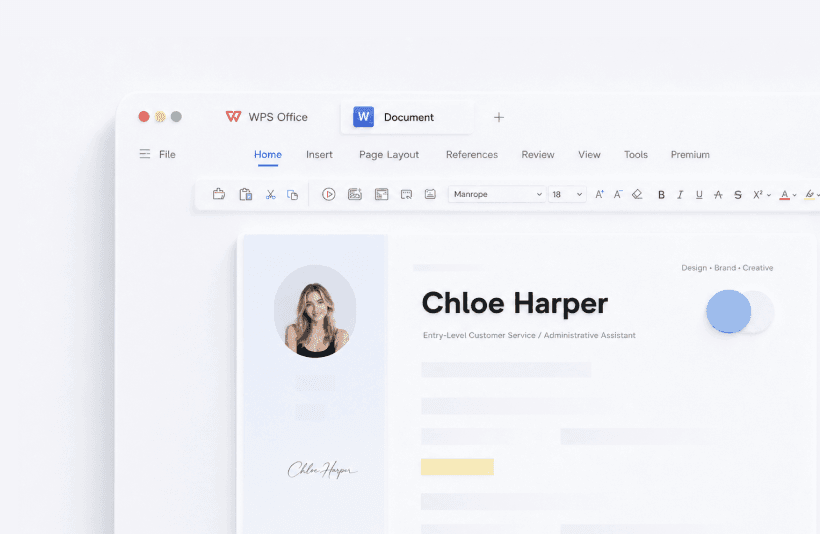
WPS Writer is the Word alternative inside WPS Office. It opens .doc, .docx, .rtf, and .txt. The ribbon is close enough to Microsoft Word that most students skip a tutorial. Use templates for CVs and reports, track changes on group essays, then save as .docx so the other person never has to install WPS.

WPS Writer guide

WPS Spreadsheet

WPS Spreadsheet: Excel alternative for XLS and XLSX

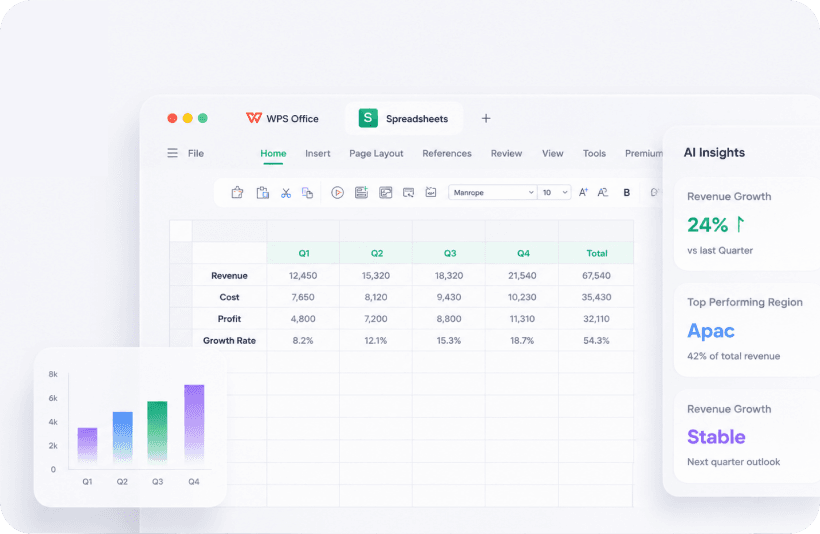
Open .xls, .xlsx, and .csv. Formulas, pivot tables, and charts cover budgets and gradebooks. AI Insights can summarize a quarter. Always check the cells before you send the file. This is the usual landing point for “free Excel for Windows 10” searches.

Spreadsheet guide
WPS Spreadsheet Excel alternative with formulas, chart, and AI insights
WPS Presentation PowerPoint alternative editing a PPTX slide deck

WPS Presentation

WPS Presentation: PowerPoint alternative for PPT and PPTX

Keep speaker notes and run fullscreen. Students use it after campus Microsoft 365 expires. AI slides can draft a first pass from a paragraph. Treat that draft as an outline. You still own fonts, timing, and the story.

Presentation guide

WPS PDF editor

WPS PDF editor and free PDF to Word converter

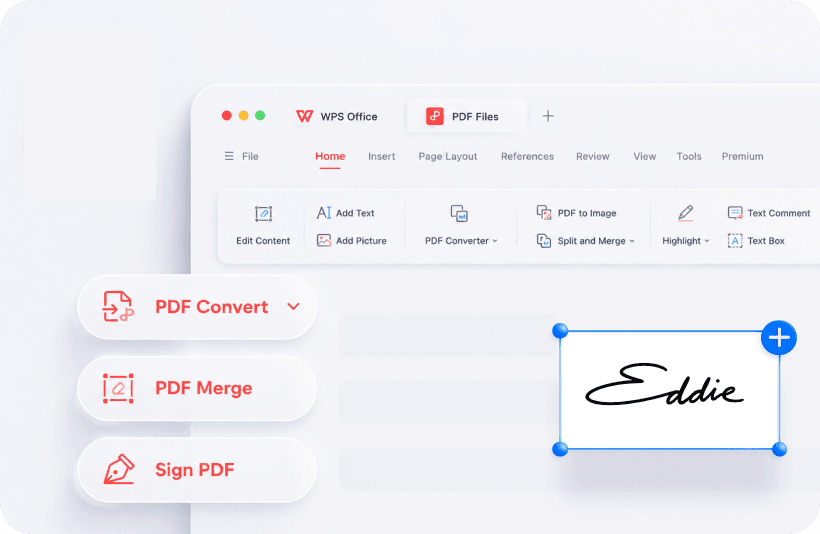
Read, highlight, comment, sign, merge, and split PDFs in the same suite. PDF to Word: Tools, then PDF to Word, then set language and preview. Free conversion is a short page range. Long contracts usually need Premium. Prefer the desktop converter over uploading a thesis to a random website.

PDF editor guide
WPS PDF editor with PDF to Word, merge PDF, and sign PDF

WPS Office screenshots

See Writer, Spreadsheet, Presentation, and PDF

One tabbed window. Switch below to inspect the real product UI before you install.

WPS Writer screenshot for Word and DOCX editing
Writer: Word documents, templates, and comments.

How to install WPS Office

Download and install WPS Office on a Windows PC

This is the safe path for “how to install WPS Office” searches. wpsoffice.io does not host the EXE. Full walkthrough: install WPS Office on Windows.

  1. Step 1

    Open the official page

    Use wps.com/download or Microsoft Store ID 9NSGM705MQWC. Skip third-party “WPS Office download” sites.

  2. Step 2

    Run the installer

    Open wps_office_inst.exe, pick a language, accept the license, and click Install Now. The starter download is about 5.1 MB.

  3. Step 3

    Test a real file

    Open a .docx, .xlsx, or PDF you already trust. Save a copy first. If layout looks wrong, you still have the original.

WPS Office vs Microsoft Office

WPS Office vs Microsoft 365 vs LibreOffice

Pick WPS Office if you want a free Word, Excel, and PowerPoint alternative plus a PDF editor. Stay on Microsoft 365 for Outlook and Teams. Use LibreOffice if you need open source and no ads. Longer table: WPS Office vs Microsoft Office.

Need WPS Office Microsoft 365 LibreOffice
Price for daily Word/Excel/PPTFree (ads possible)SubscriptionFree
Microsoft Office filesStrong .docx .xlsx .pptxNativeGood, occasional drift
PDF editor in the same appYesSeparate / limitedExport, weaker edit
Outlook + TeamsNoYesNo
Open sourceNoNoYes

WPS Office free vs Premium

Kingsoft has said core office features stay free. Premium (names vary by region: Pro, VIP, Super) is for ads, longer PDF to Word, extra cloud, and higher AI limits. Details: free vs Premium.

Task Free Premium
Write, sheets, slidesYesYes, no ads
Read and annotate PDFYesYes
PDF to Word (long file)Short page capFull conversion
WPS AI heavy useDaily quotaHigher quota

WPS Office system requirements and file formats

Figures follow Kingsoft’s Help Center and the official Windows download page. Requirements can change with new builds. Full table: system requirements.

PlatformMinimum (typical)
WindowsWindows 7-11, ~2 GB RAM, several GB free disk
MacmacOS 10.12+, ~2 GB RAM
Linuxx86 distros, ~2 GB RAM
AndroidAndroid 4.1+
AppOpens / saves
Writer.doc .docx .docm .rtf .txt .wps
Spreadsheet.xls .xlsx .xlsm .csv .xlt
Presentation.ppt .pptx .pptm .pps
PDF.pdf, convert to Word / images

WPS Office reviews from real workflows

Public testimonials rewritten as what broke, what they did, and whether they paid. More stories: WPS Office reviews.

Student after campus Office ended

Olivia opened last term’s .docx files in WPS Writer the same night Microsoft 365 campus access stopped. Ads on the free Windows build were the surprise. She closed the pane instead of buying Premium on day one.

Olivia Bennett, student

Thesis export to PDF

Iris wrote in Writer and exported PDF for the committee. A scanned chapter failed PDF to Word. She retyped two pages on the PC instead of uploading the thesis to an unknown converter.

Iris González, university

Excel on Android

Josaphat edits client .xlsx files in WPS Office for Android and syncs with Cloud. Recycle Bin recovered an invoice after a swipe-delete. He still keeps a local copy of invoices.

Josaphat Valderrama, freelancer

WPS Office troubleshooting

Recover unsaved files, fix PDF not opening, convert PDF to Word

How to recover an unsaved WPS Office file

  1. Restart WPS Office and use the backup prompt if it appears, then Save As.
  2. If nothing appears: Menu, Backup and Recovery, Auto Backup.
  3. Cloud deletes: Home, Open, Recycle Bin. Free backups are often kept about 30 days.

PDF not opening in WPS Office

  1. Check size. A 2 KB file is usually a failed download.
  2. Re-download, then open in desktop WPS, not the browser preview.
  3. A password box means the PDF is locked. Set WPS as the default PDF app if double-click does nothing.

PDF to Word looks wrong or stops

  1. Open the PDF, then Tools, then PDF to Word, then set language.
  2. Preview pages 1-5 on the free plan before you subscribe.
  3. Scanned PDFs need OCR. Long files need Premium.

WPS Office FAQ

Short answers for the queries people type after “WPS Office free download”. Full list: WPS Office FAQ.

Yes. Writer, Spreadsheet, Presentation, and basic PDF tools are free. Ads may show on Windows. Premium removes ads and raises PDF to Word limits.

Get the official WPS Office free download

Word, Excel, PowerPoint, and PDF from wps.com. Keep this page for crash recovery and PDF to Word limits.

Download on wps.com